Beta sign-ups are open
 by
by

Shure and Sennheiser.
One plan.
OmniRF plans, coordinates and monitors Shure and Sennheiser wireless systems together, each judged by its own maker’s coordination rules. A native Mac app from AVL Events.
Watch the announcement.
Forty-five seconds of OmniRF, with the sound on.
From first scan to showtime, on one work surface.
The same four steps for every rack, whichever brand is in it.
-
01
Scan
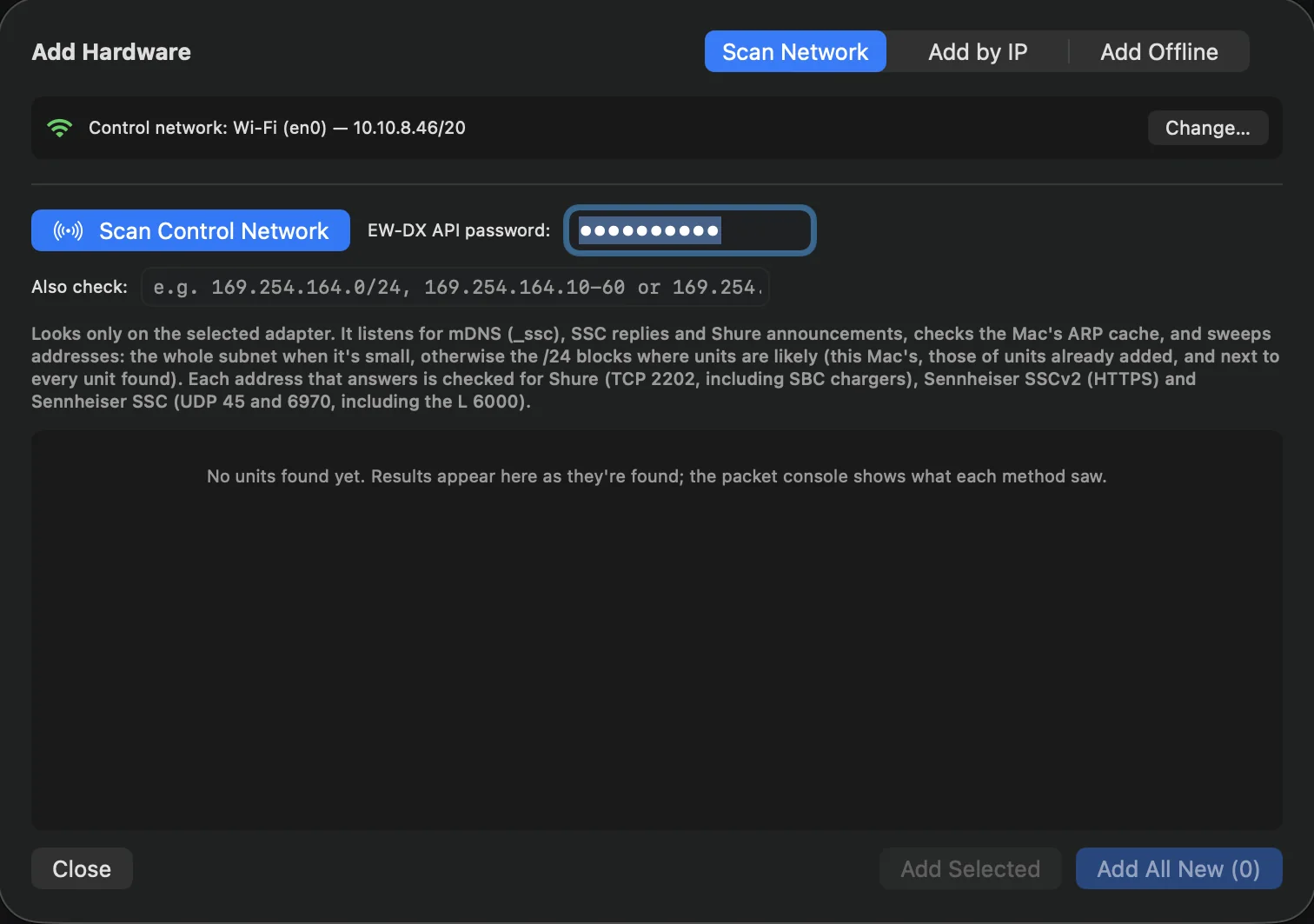
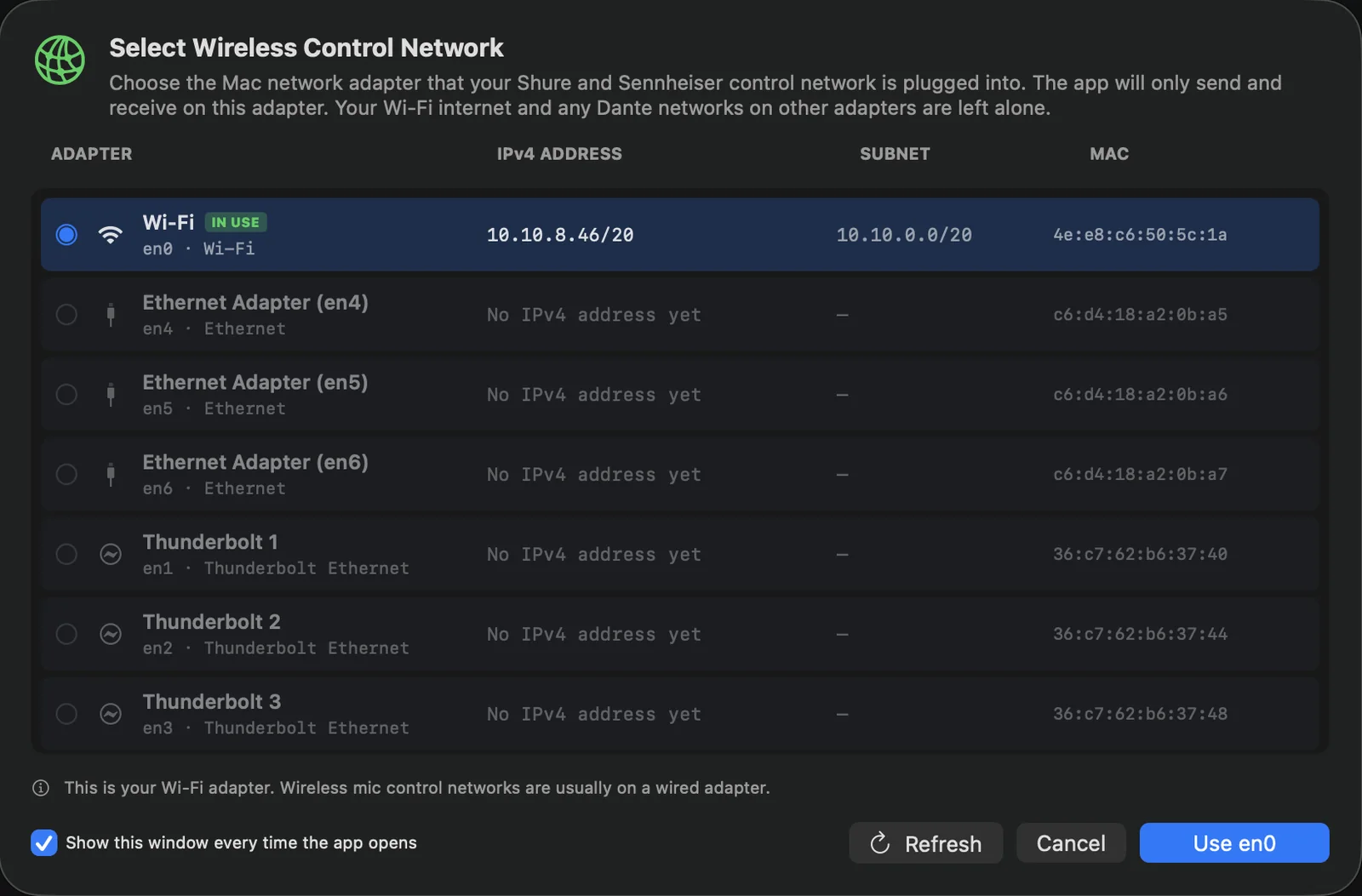
Choose the network adapter your wireless control runs on. OmniRF finds the Shure and Sennheiser units on that adapter and nowhere else, so your Wi-Fi internet and Dante networks are left alone. Kit that hasn’t arrived yet can be added offline for planning.
-
02
Coordinate
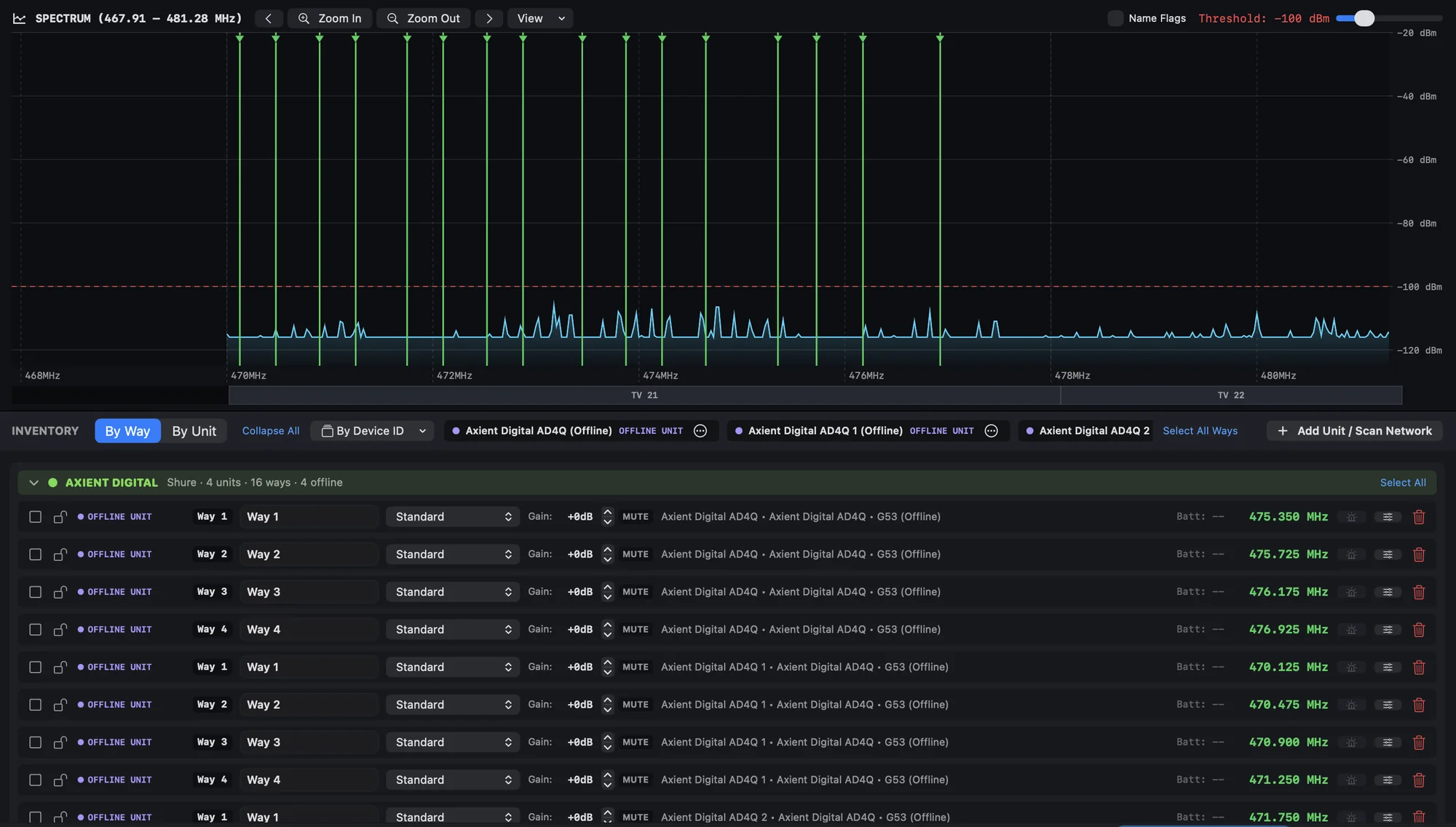
Coordinate All finds compatible frequencies for every unlocked channel. It checks carrier spacing, third to ninth-order intermod between two transmitters, third-order between three, and each receiver’s front-end filter. Shure channels follow Wireless Workbench’s equipment rules and Sennheiser channels follow WSM’s spacings, all in the same plan.
-
03
Deploy
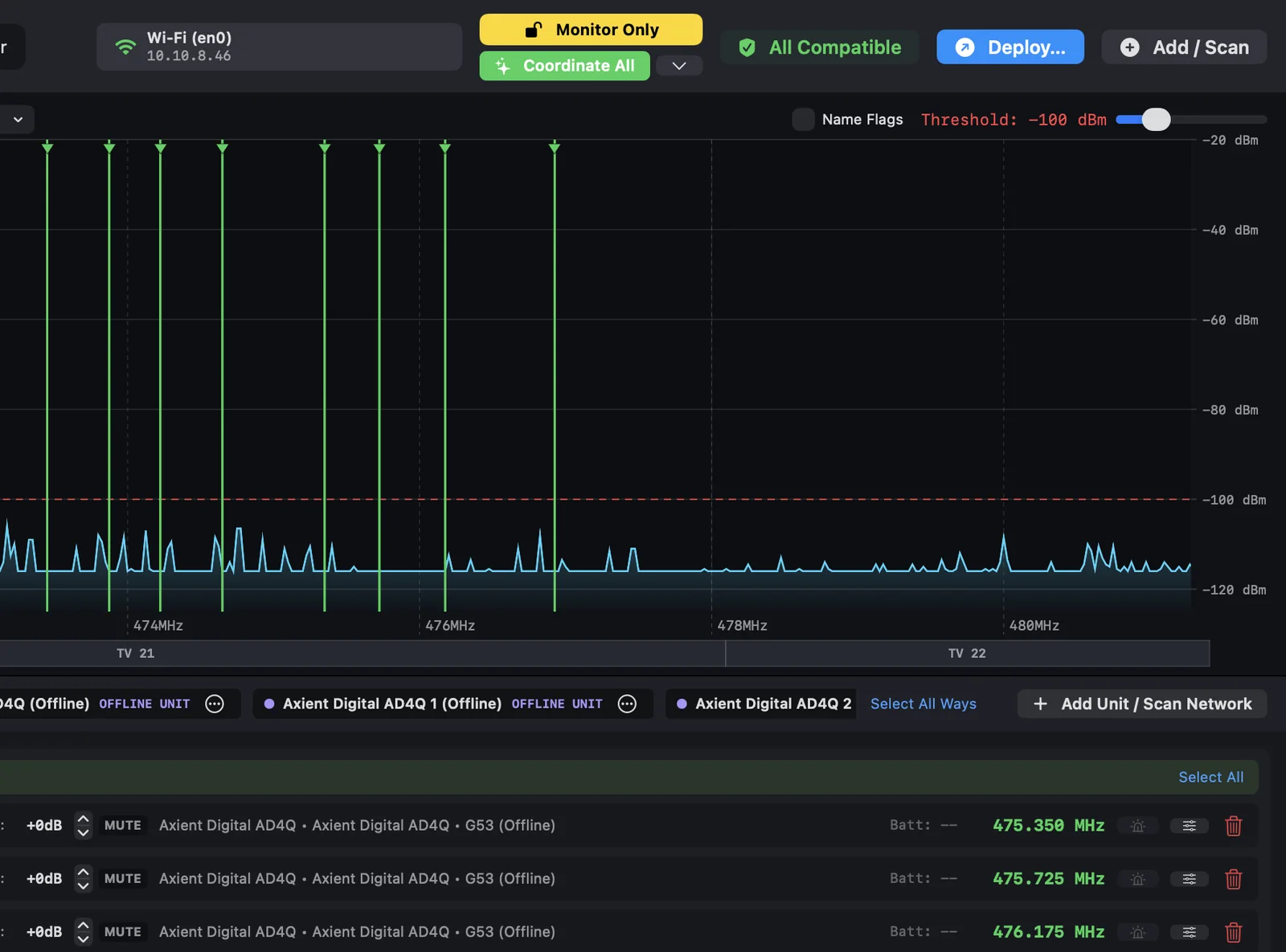
OmniRF opens in Monitor Only every time. It reads meters and settings and changes nothing. Switch on Live Control when you’re ready, and Deploy lists every frequency change, from and to, channel by channel, before anything is sent.
-
04
Monitor
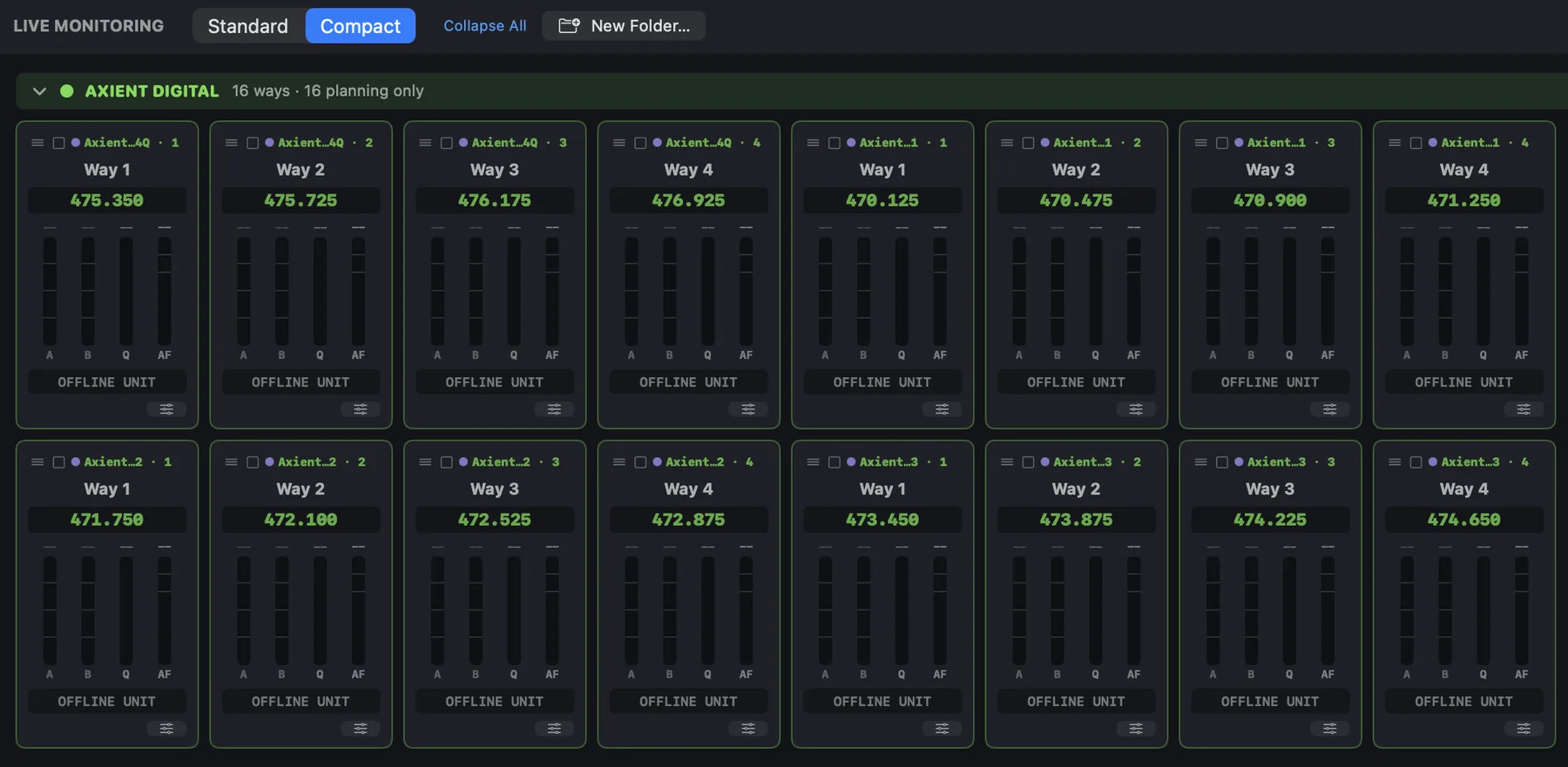
Live Monitoring shows RF and audio meters, batteries and transmitter details for every channel, in folders you arrange. IEM transmitters show audio level, RF mute and RF power, and Shure SBC and Sennheiser L 6000 chargers report charge, time to full and battery health.
Also in the beta
- Backup frequencies
- Backups stay off until you need one. Each is checked against every primary except the one it stands in for.
- Foreign frequencies
- Another company’s IEMs, talkback or a broadcast link are worked around. Check a frequency before you commit to it.
- Licensed TV channels
- Block the UK and EU UHF TV channels, 21 to 60, that you aren’t licensed for.
- Scans from kit you own
- Import WSM, WWB, RF Explorer or tinySA files, sweep with a USB tinySA, or scan with EW-DX, UHF-R and Axient Digital receivers.
- Bulk editing
- Change many channels of one kind at once, including numbered names such as VOX 1, VOX 2.
- RF Profiles
- See the spacing values behind each product, mode and level, and edit them if you need to.
- Rack order
- Sort units by Device ID, IP address or by hand, and name them by position.
- Project files
- .omnirf files hold the hardware, plan, scans and layout, and always reopen in Monitor Only.
- Packet console
- A log of what was sent to and received from each unit, for when something needs diagnosing.
Festival mode reuses frequencies through the day.
Stages become RF zones and every artist gets a transmit window from the timetable, so OmniRF only coordinates what is on air at the same time.
- Set each pair of stages to Intermod + Spacing, Spacing Only or None, depending on how close they are.
- Coordinate All keeps every frequency that still works, so artists keep what they’ve been sent as the timetable grows.
- House equipment and comms belong to a stage and stay on air all day.
- One click saves a branded A4 PDF for every artist on a day, with their set, changeover, transmit window and frequencies.
Swipe to see the whole day.
Nothing on stage changes by surprise.
Every session starts read-only. Changes reach your hardware only when you send them.
At every launch and whenever a project opens. OmniRF reads meters and settings and sends no changes.
Switched on by you in the toolbar. Only the action you take is sent: one name, one gain step, one mute, one frequency.
- Deploy shows every frequency change and asks before sending.
- Coordinate and Analyse only change the plan inside the app.
- Device passwords live in the macOS Keychain, never in project files.
Built for the racks you already run.
21 networked models to monitor and control, and 12 more to plan with.
Shure 17 live, 1 planning
| Axient DigitalAD4Q, AD4D | |
|---|---|
| Axient Digital PSMADTQ, ADTD | |
| ULX-DULXD4Q, ULXD4D, ULXD4 | |
| QLX-DQLXD4 | |
| SLX-DSLXD4Q+, SLXD4D, SLXD4 | |
| UHF-RUR4D, UR4S | |
| PSM 1000P10T | |
| ChargersSBC220, SBC450, SBC850 | |
| PSM 900P9T |
Sennheiser 4 live, 11 planning
| EW-DXEM 4, EM 2 | |
|---|---|
| Digital 6000EM 6000 | |
| ChargersL 6000 | |
| Digital 9000EM 9046 | |
| EW-DEM | |
| ew G4EM 300-500 G4, EM 100 G4, SR IEM G4 | |
| ew G3EM 100/300/500 G3, SR 300 IEM G3 | |
| 2000 SeriesEM 2000, EM 2050, SR 2000/2050 IEM | |
| SpecteraBase station |
Live control means OmniRF monitors the unit and, with Live Control on, can change it. Planning only means the unit is coordinated and drawn but never connected to. Any model can be added offline for planning and given an IP address later. During the beta we’re confirming each model on real hardware, so tell us what you run.
Join the beta.
OmniRF opens to a small group of RF coordinators and wireless techs first. Tell us what you run, and we’ll email you when the beta is ready.
- Platform
- Native macOS app
- Price
- One-off purchase, price to be announced
- Download
- Direct from omnirf.uk
- Release
- Beta first, date to be confirmed